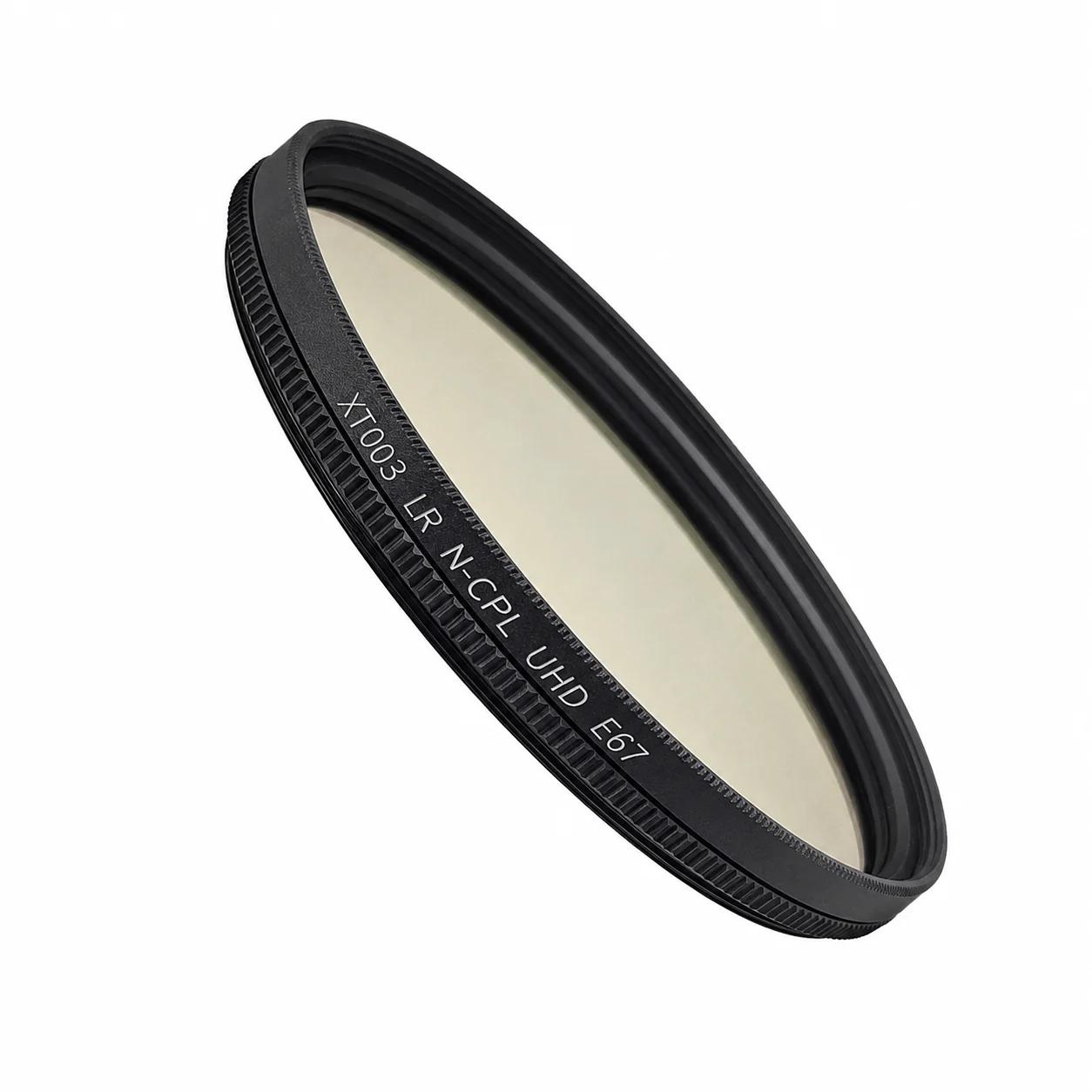
You screw a circular polarizer onto your lens, step outside under a clear sky, rotate the front ring, and wait for the washed-out blue to snap into a rich, deep navy. Nothing happens. You spin the ring again, full circle. The sky barely changes.
The filter is not defective. Unlike a neutral density filter or a pair of dark sunglasses, a circular polarizer (CPL) does not simply darken everything in front of the lens. It does not tint the glass. It works exclusively on polarized light.
In an open sky, sunlight scattering off gas molecules in the atmosphere (Rayleigh scattering) becomes polarized, but it only polarizes strongly across a specific band of the sky. If the camera is pointed outside that band, turning the polarizer ring has virtually no effect. To get a deep blue sky straight out of camera, the camera must be pointed in the right direction relative to the sun.
The 90-Degree Rule
The physics of atmospheric scattering dictates that light is most heavily polarized at an angle of roughly 90 degrees away from the sun's rays.
When you point your camera directly toward the sun, the incoming light reaching your lens has virtually zero polarization. Turning a CPL ring will do almost nothing to the sky. When you point your camera with the sun directly behind your back, you are also at 0 degrees (or 180 degrees) relative to the sun's path, where polarization is equally minimal.
Maximum polarization sits in an arc that runs perpendicular to the sun. When your lens aims into that 90-degree zone, rotating a CPL cuts the scattered glare vibrating in that plane, dropping atmospheric haze and allowing the deeper blue of the upper atmosphere to show through cleanly.
The Two-Second Hand Check
You do not need a compass or a sun-tracking app to find the 90-degree band in the field. Photographers use a simple hand gesture that takes two seconds:
- Extend your thumb and index finger to form an "L" or pistol shape.
- Point your index finger directly at the sun.
- Keeping your index finger pinned toward the sun, rotate your wrist so your thumb traces an arc across the sky.
Every point your thumb aims at as you rotate your hand sits at roughly 90 degrees to the sun. That invisible arc is your polarization band. If your composition points into that swath of sky, your polarizer will deliver its maximum darkening effect. If your frame points outside it, the effect will drop off rapidly.
At midday, with the sun directly overhead, the 90-degree band circles the entire horizon like a ring. That means you can shoot in almost any horizontal direction and get polarized skies near the horizon. In the early morning or late afternoon, when the sun is low on the horizon, the 90-degree band runs straight up through the zenith overhead, running from north to south if the sun is rising in the east.
Why Post-Processing Sliders Cannot Replicate It
It is tempting to skip the filter and tell yourself you will fix the sky in Lightroom or Capture One later. Pulling down the Blue Luminance slider or boosting Saturation seems like an easy shortcut, but software adjustment works completely differently from optical polarization.
When software darkens the blues in a digital file, it darkens every pixel that contains blue channel data:
- Muddy Cloud Edges: Thin wisps of white clouds, distant haze, and cloud edges contain blue light. Dragging down luminance sliders turns white cloud margins into dirty, unnatural grey fringes.
- Amplified Noise: Darkening midtones and shadows digitally stretches the lower end of the histogram, introducing noticeable chroma and luminance noise into smooth sky gradients.
- Artificial Color Shifts: Pushing saturation sliders on an unpolarized sky frequently pushes natural cobalt blue into an artificial cyan or magenta cast that screams heavy post-processing.
An optical polarizer operates before the photons ever hit the camera sensor. It strips the polarized atmospheric glare while leaving the non-polarized white light reflecting off clouds completely untouched. The result is pure, clean separation: clouds remain bright and neutral white, while the sky behind them drops two stops into a saturated, natural blue.
How to Rotate the Ring Without Overcooking
Once your lens is pointed into the 90-degree band, look through the electronic viewfinder or at the rear LCD screen. Slowly rotate the knurled front ring of the polarizer.
As you rotate through a 90-degree turn of the filter ring, you will see the sky transition from pale milky blue to its deepest point of extinction. Keep turning past that point, and the sky will lighten back up to its baseline state.
Maximum extinction is not always the best creative choice. On high-altitude, dry, or crystal-clear days, maxing out a polarizer can turn the upper portion of the sky an ink-black navy that looks unnatural and distracting. A small turn—backing off by 10 to 15 degrees from maximum extinction—frequently yields a balanced, believable sky that retains natural atmospheric gradation while still suppressing haze.
The Wide-Angle Exception
There is one important scenario where pointing a polarizer at 90 degrees creates problems rather than solving them: ultra-wide angle lenses.
A telephoto or standard lens (such as a 50mm or 85mm) sees an angle of view of 20 to 45 degrees. The entire composition easily fits inside the 90-degree polarization band, resulting in an even, continuous deepening across the whole sky.
An ultra-wide lens (such as a 14mm, 16mm, or 20mm), however, captures a field of view exceeding 90 to 100 degrees. Because the frame is so wide, only one section of the composition sits at 90 degrees to the sun, while the edges sit at 60 degrees or 120 degrees. The result is an uneven, dark wedge or blotch running through the sky. Rotation cannot fix this because it is caused by the geometry of the lens rather than the filter itself.
If you are experiencing uneven gradients on an ultra-wide, read the dedicated breakdown on why a polarizer makes wide-angle skies uneven.
What Matters in a Polarizer (XT003 Specs)
When shopping for an everyday circular polarizer to carry in your landscape kit, optical performance comes down to film quality and glass coatings.
The XT003 CPL uses authentic Nitto (日东) polarizing film with a 99.8% polarizing efficiency, ensuring maximum glare extinction and color contrast without unwanted color casting. The optical element is precision optical white glass (超白玻璃), finished with double-sided 24–32 layer multi-coating.
That coating package keeps average surface reflectance down to ≈0.3%, preventing ghosting and internal flare when shooting near bright light sources, while maintaining an average light transmission of ≈44%. The ultra-slim aluminum frame prevents mechanical vignetting on standard zoom lenses down to 24mm.
Available in standard thread sizes from 39mm up to 82mm, starting at 9.99. Every filter is backed by a 30-day return policy and a 12-month warranty. Standard shipping is free on orders over 9 (or flat rate).
If you want deeper skies, richer foliage, and glare-free water straight out of camera, the 90-degree rule and a reliable CPL are all you need.